When it comes to running digital marketing campaigns for e-commerce, one of the most effective tools at your disposal is Google Ads. And within Google Ads…
When it comes to running digital marketing campaigns for e-commerce, one of the most effective tools at your disposal is Google Ads.
And within Google Ads, the Performance Max campaign is quickly becoming a game-changer for online retailers.
But what exactly is a Performance Max campaign, and how does it fit into your e-commerce strategy?
In this post, we’ll break down what Performance Max campaigns are, how they work, and why they should be a key part of your e-commerce digital marketing plan.
What Is a Performance Max Campaign?
A Performance Max campaign is a goal-based campaign type within Google Ads that uses machine learning to drive the best performance across all of Google’s advertising channels, including Search, Display, YouTube, Gmail, and Discover, all within a single campaign.
Unlike traditional campaigns, Performance Max allows Google’s algorithms to automatically optimize your ads in real-time, aiming to achieve your specified conversion goals, such as sales or leads.
Why Should E-commerce Businesses Use Performance Max Campaigns?
For e-commerce businesses, Performance Max campaigns can help drive valuable traffic, increase conversions, and boost return on ad spend (ROAS), all while leveraging Google’s powerful AI to make automated optimizations.
As an e-commerce business, you’re likely already running various Google Ads campaigns across different channels to drive traffic to your website.
There are a couple of reasons why, based on my experience, I’d recommend testing a PMax:
Reach Across All Google Channels
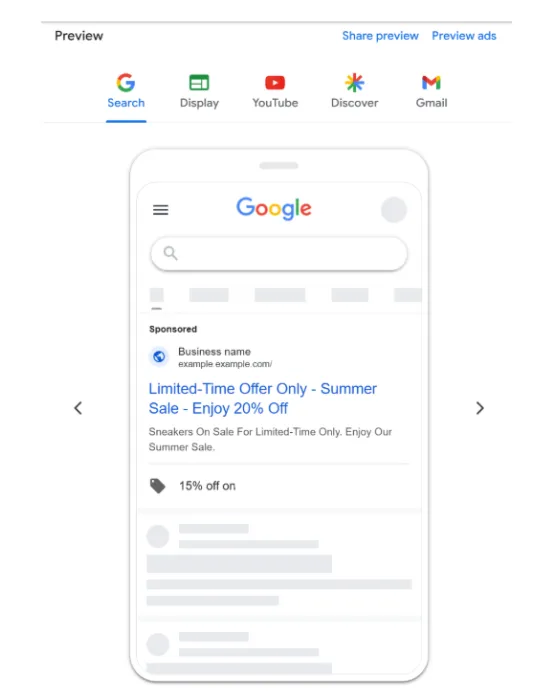
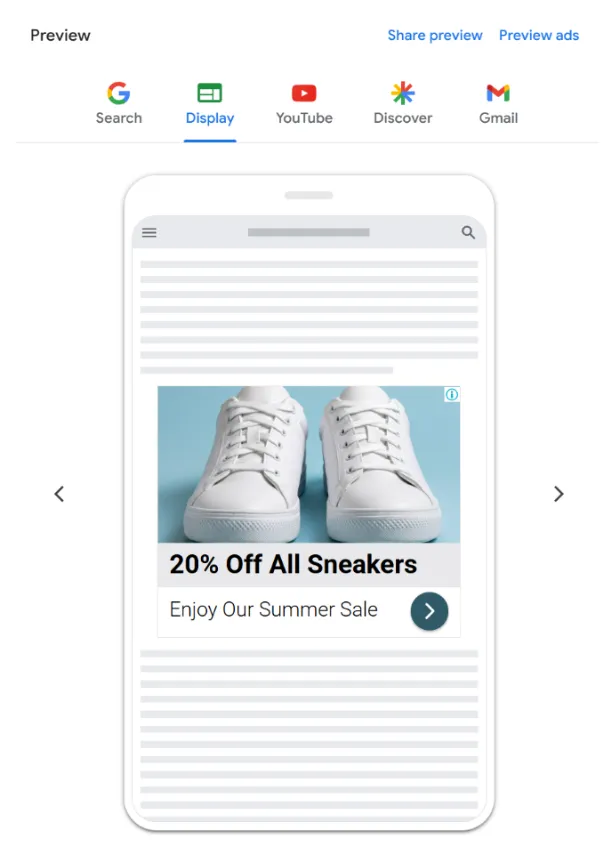
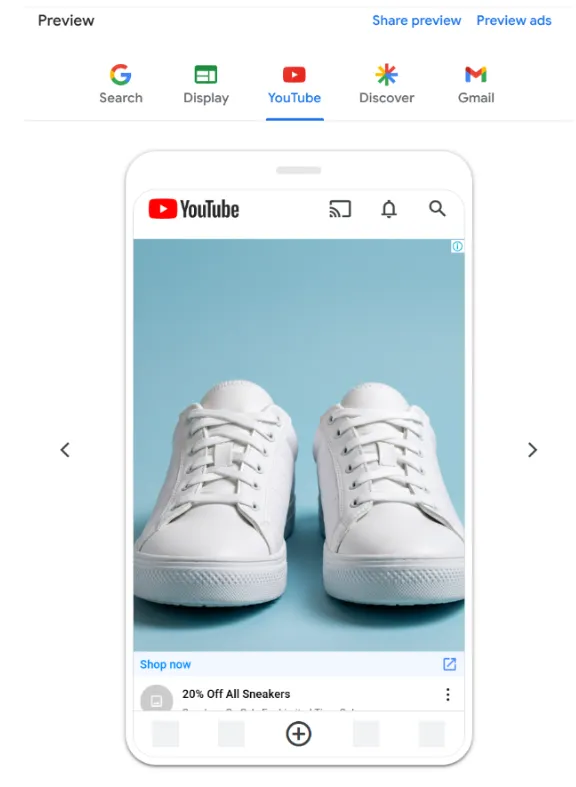
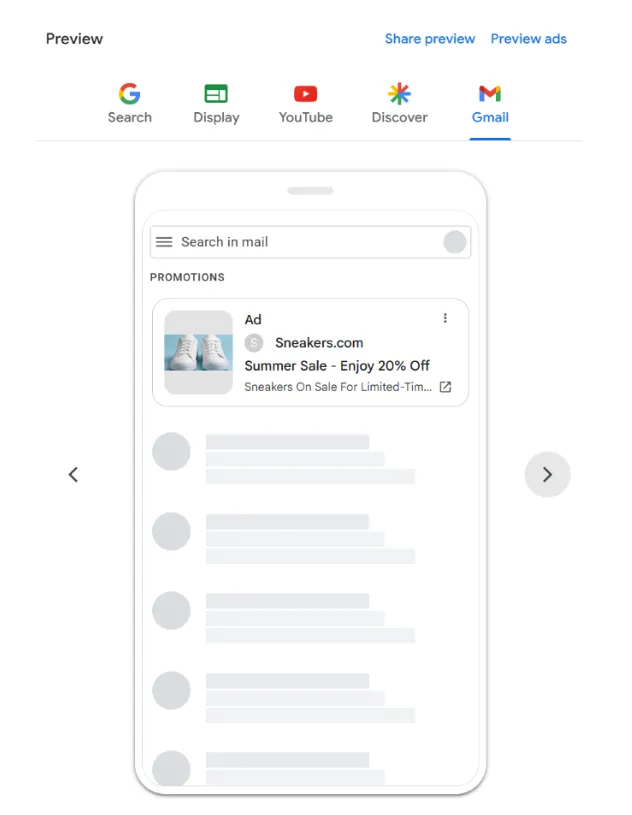
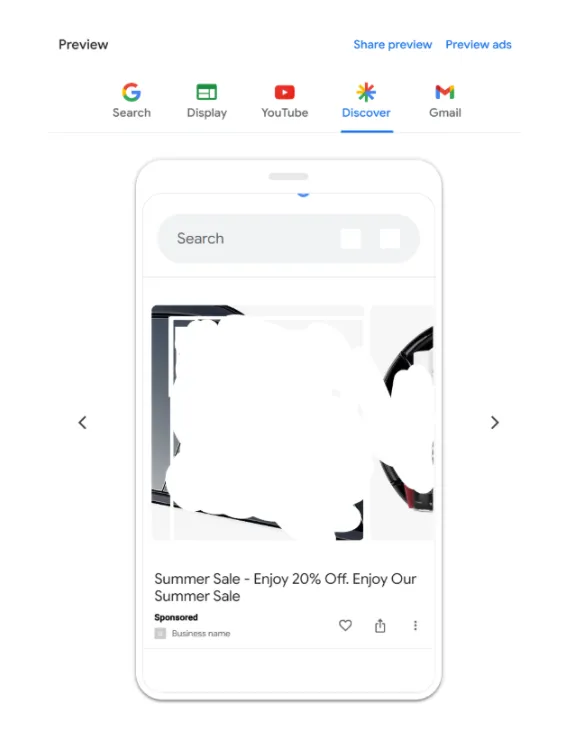
With Performance Max, your ads can show up across all of Google’s placements (Search, YouTube, Gmail, Display, Discover) without having to create separate campaigns for each one.
This increases the reach of your ads, giving you access to a broader audience, which is especially valuable for e-commerce businesses looking to increase brand awareness and sales.
Search Network
Display Network
Youtube
Gmail
Discover
Increase Online Sales
As PMax classifies itself at the bottom of the marketing funnel, this means that it is conversion-based. This means that the Performance Max campaigns are designed to help you find more converting customers across Google’s channels.
Automated Optimizations
Google’s machine learning will automatically optimize your ads based on the performance data it receives, helping you target the most relevant audience with the most appropriate message.
It does all this in real time, adjusting bids, targeting, and ad creatives as needed. For some, the lack of control – like not being able to pin certain headlines – might feel frustrating, but Google optimizes based on what works best for you.
Setting Up a Performance Max Campaign for E-commerce
Setting up a Performance Max campaign is fairly straightforward, but to get the best results, there are key steps you should follow.
I’d suggest letting the campaign run for at least 4 to 6 weeks to gather data useful for machine learning. I would not recommend this for new accounts as PMax requires conversion data to properly optimize, so don’t create one without historical data.
Let me walk you through the process:
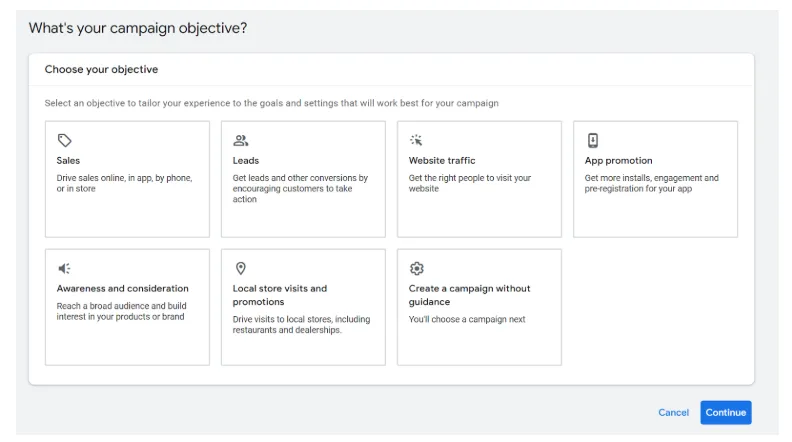
1. Define Your Goals
First, define the primary goal for your Performance Max campaign. For e-commerce, this often means selecting Sales as your main objective, but it could also include Leads or Website Traffic depending on your needs.
2. Provide Your Assets
Performance Max requires a variety of assets to work its magic. In fact, the more you provide, the more Google AI tests to find the best options to improve your performance.
You’ll need to provide the following:
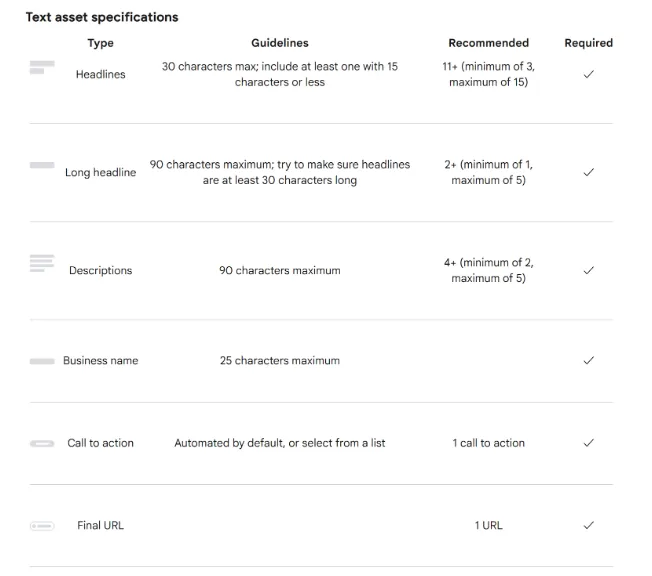
Text
Text assets are essential to provide information on your products or services, encouraging people to click on your ad and possibly convert.
This is also why it is important to stay concise and coherent, writing a strong call to action.
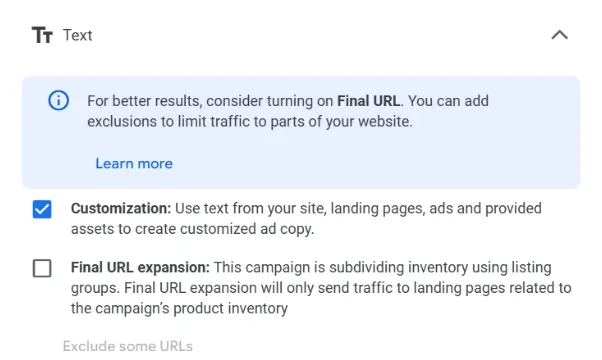
Just a quick note on something I get asked many times: in PMax, you can leave the options to expand your URL. If this function is on, Google may replace your landing page with a more relevant one based on people’s searches.
Don’t be scared, if you are going to opt in for this feature, you can also exclude the URLs that should never appear on your ad.
Images
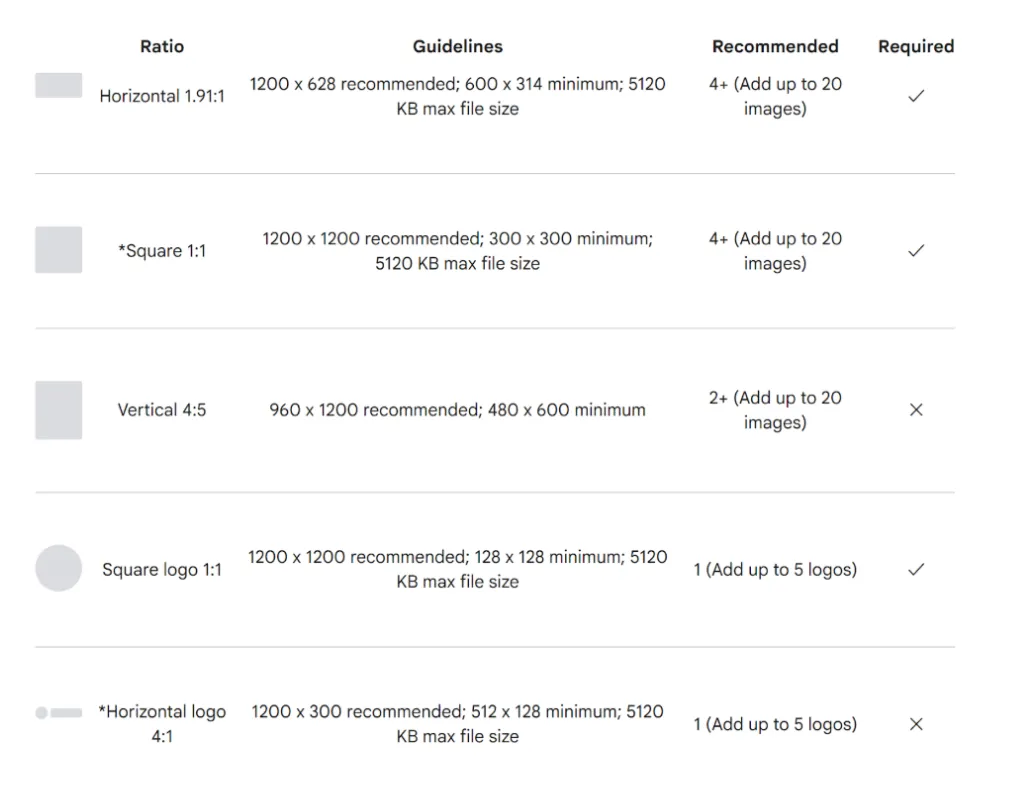
You should upload up to 20 high-quality images of your products or services in JPG or PNG file format and a maximum size of 5MB.
I’d recommend centering the main topic in the center (80% of the image), but I’d also advise checking the image requirements in the Google Guide.
Videos
If possible, include videos that showcase your brand or product in action.
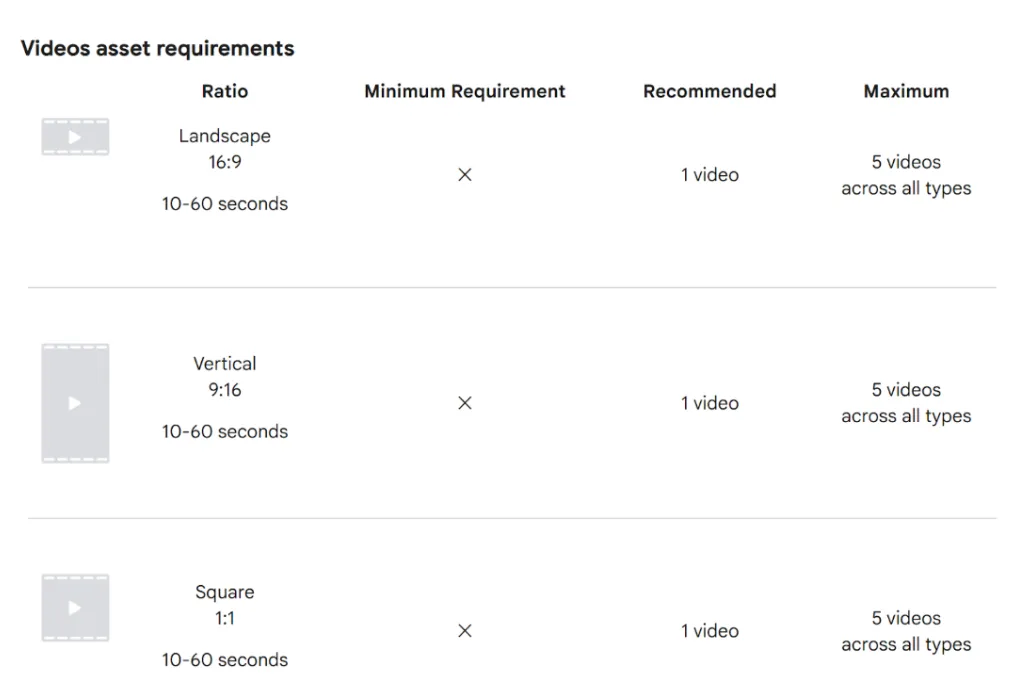
Videos need to be a minimum of 10 seconds in length, and you can upload up to 5. If you don’t upload one, Google will likely generate one for you from other creatives you added.
Remember that Google may resize the videos automatically to improve ad strength (example: Google can convert a landscape video into a square one if the AI thinks it is going to improve the performance).
Product Feed and Listing Groups
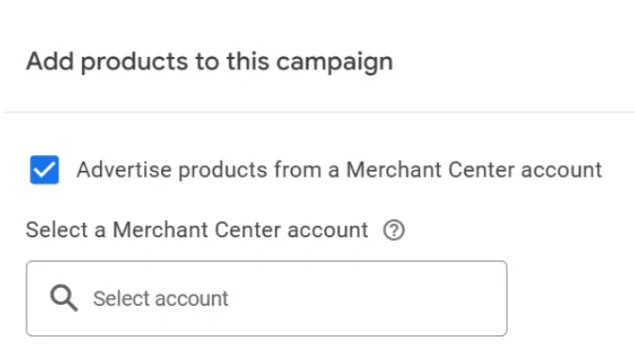
For an e-commerce site, linking your Google Merchant Center feed is essential so that your product catalog is directly tied to your ads.
Performance Max campaigns leverage your product feed to show highly relevant ads to potential customers based on the products they are searching for or browsing.
A product feed is essentially a file containing detailed information about each of the products in your store. It includes product attributes like:
Product ID
A unique identifier for each product (usually the SKU).
Title
This is the name of the product, which should be descriptive and include relevant keywords.
Description
A detailed explanation of what the product is and why it’s valuable.
Price
The cost of the product, including any discounts.
Image URL
The URL of the product image.
Availability
Whether the product is in stock or out of stock.
Product Category
A classification of the product (e.g., clothing, electronics).
Brand
The brand name of the product.
Link
The URL where the product can be purchased.
For e-commerce stores, Google Merchant Center is the platform where you upload your product feed, and Google Ads pulls this data for the Performance Max campaign to create ads dynamically.
Why Is the Product Feed Important for Performance Max?
In a Performance Max campaign, Google uses the product feed to:
match customer queries with relevant products – when a customer searches for something specific (e.g., “blue running shoes size 10”), Performance Max uses the product feed to show the most relevant items, ensuring that ads are tailored to user intent;
automatically create ads – Google can use the information from the product feed to dynamically generate ads, including text, images, and product details.
Why Listing Groups Are Important
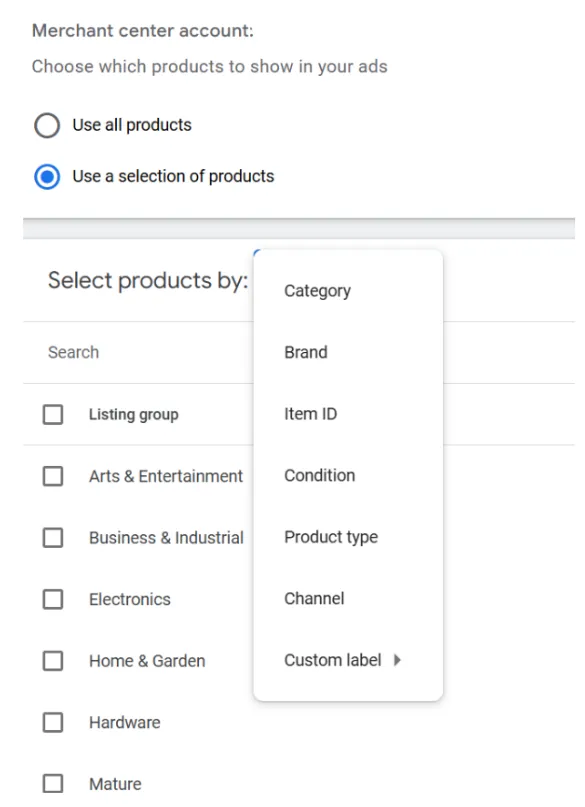
While the product feed provides the raw data, listing groups help you organize and manage your products within your campaigns. Essentially, listing groups let you group products in the feed based on specific attributes.
Listing groups are a way to categorize and filter your products within your Google Ads campaigns (you can have up to 1,000 listing groups), allowing you to group them by:
Product Type – This could be categories like “Running Shoes,” “Smartphones,” or “Laptops.”
Brand – Grouping products by their brand name, such as “Nike” or “Apple.”
Custom Labels – You can create your own labels (up to 5) for additional grouping. For example, you might use “Seasonal Products” or “Best Sellers” as custom labels to create specific groups of products for targeted advertising.
Price Range – Grouping products based on price, such as “Under $50,” “$50-$100,” and “Over $100.”
Channel – Where your products are sold, either “Local” in a physical store or “Online” through an e-commerce store.
Condition – The state of a product (new, used, and refurbished)
Item ID – Your products’ IDs.
Category – An attribute based on the Google product taxonomy. Example of a category string: Apparel & Accessories > Clothing > Dresses
The benefit of listing groups is that they allow you to set specific strategies for different types of products.
Budget Allocation
By grouping products into different listing groups, you can set different budgets for different categories or products. For example, you may want to allocate more budget to high-margin products or best sellers that have a better conversion rate.
Bidding
You can set different bids for each listing group, giving you more control over how much you want to pay for ads depending on the product type or category. For example, you might increase bids for premium products that generate higher ROI.
Campaign Flexibility
Listing groups give you the flexibility to target your products more precisely. This is especially helpful for e-commerce businesses with large inventories. For example, if you have a specific group of seasonal products (like winter coats), you might want to highlight those during the colder months.
Performance Insights
Performance Max campaigns provide insights into the performance of different listing groups, which helps you identify which products or categories are performing well and which ones might need adjustments.
Targeting and Audience Signals
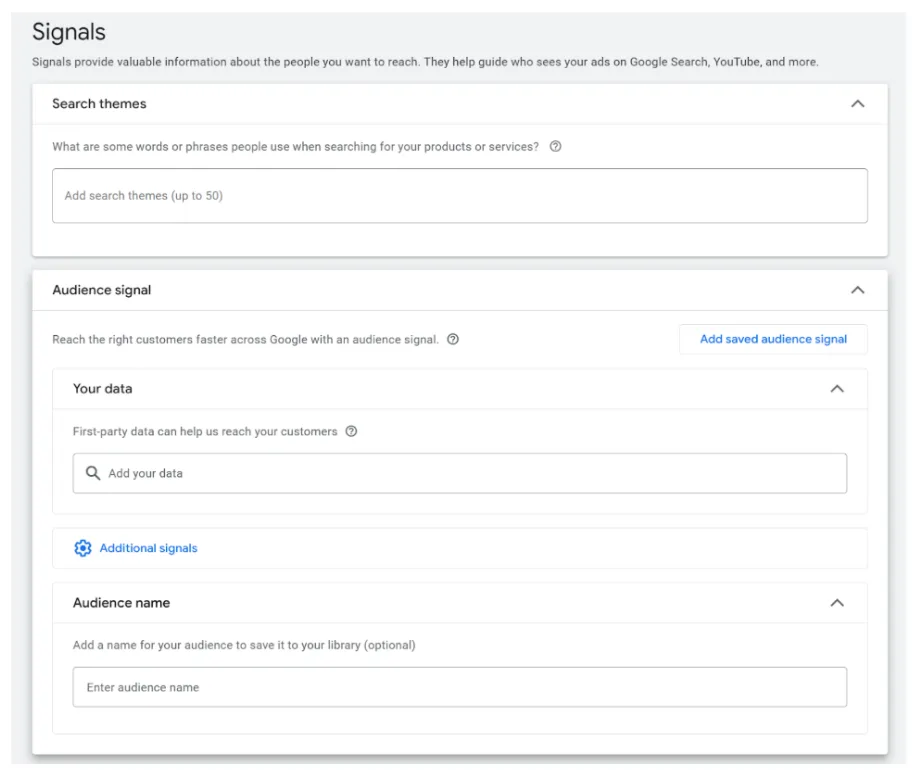
Even though Performance Max uses automation, you can still provide audience signals to guide the algorithm.
This is a keywordless campaign, meaning that you don’t have control over keyword targeting directly, as Google does that for you.
However, you can (and I advise you to do that) add some search terms to give Google a direction of what your audience searches for.
The signals are not really audiences, since you can’t directly target them. Instead, they serve as inputs: things like geographic location, demographics, and interests that you provide to guide the system.
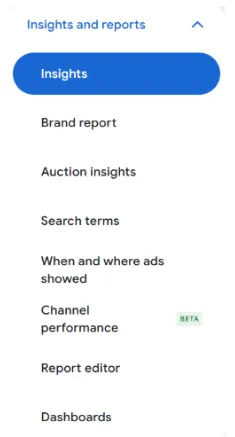
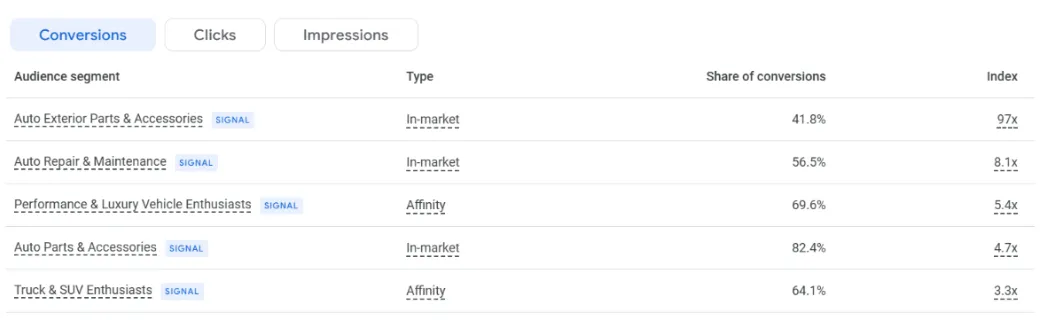
These, especially at the beginning, help the algorithm make better decisions. You can check the signals performance in the ‘Insights’ section.
Rumors say that Google is evaluating removing the language targeting (let’s see). This would make people less controlling over their campaigns, as the AI will make the decisions.
Budget and Bidding Strategy
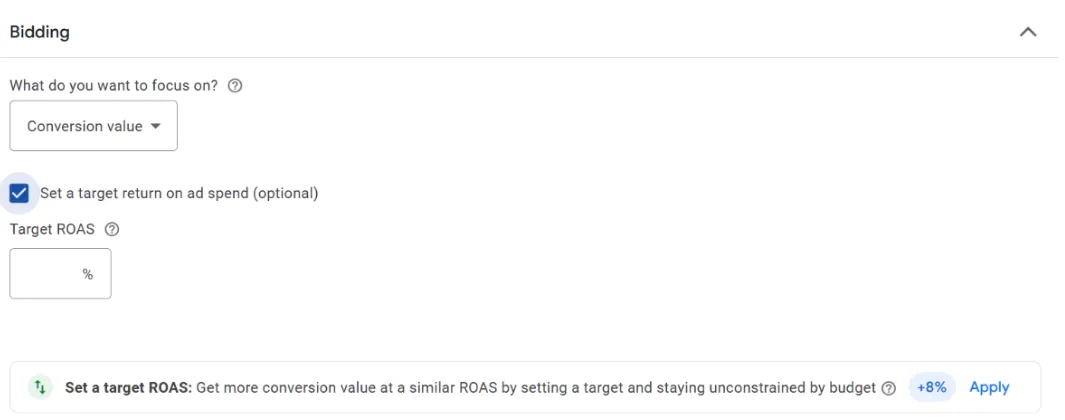
You also need to set a daily budget that aligns with your goals and desired ROAS.
Performance Max typically works best with Smart Bidding strategies like Maximize Conversions or Target ROAS, where Google’s machine learning optimizes your budget allocation to achieve the best possible results.
Brand Exclusions
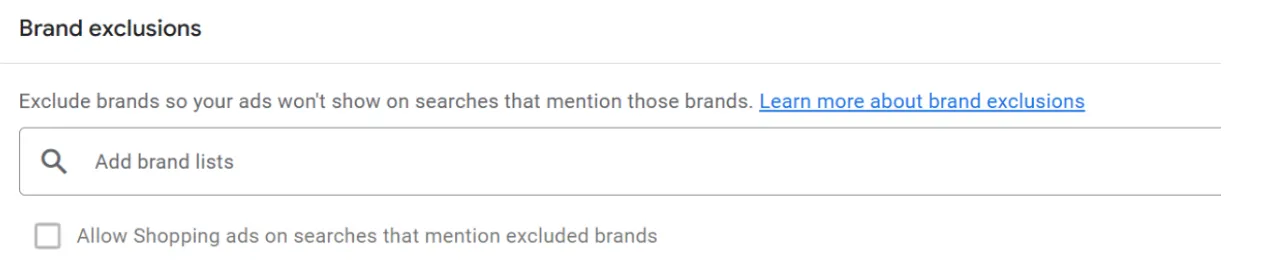
Another tip I often recommend is adding a brand exclusion list.
This is going to prevent your ads from showing for branded searches (it would be your brand or your competitors’ brand).
There are surely other functions that let you control your campaign settings, such as the age exclusions, the device targeting (rumors say Google is soon introducing gender exclusions too), and the campaign-level negative keywords to block irrelevant search terms.
Campaign Reporting
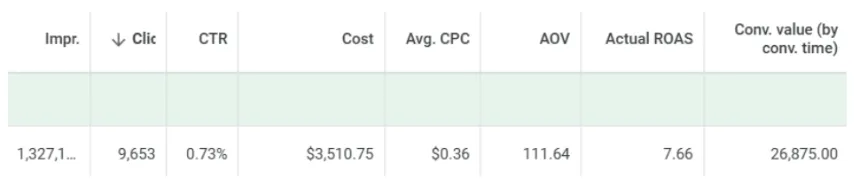
Even if PMax doesn’t really give much decision power, you can certainly make decisions based on the metrics.
But one of the most important updates of the last months was about campaign reporting.
It is, in fact, possible now to check several insights on this campaign type’s performance.
In the insights section, you can find some data on budget and actual target pacing, overall performance for a specific campaign, and some recommendations. There is also a small section about signal insights:
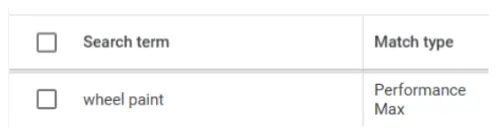
You can also check the search terms and exclude them at campaign level.
This is useful if you want to know what queries are triggering your ads.
As you can see from the screenshot I took from one of our campaigns, there are no match types (being PMax a keywordless campaign), in fact, these search queries are considered like signals.
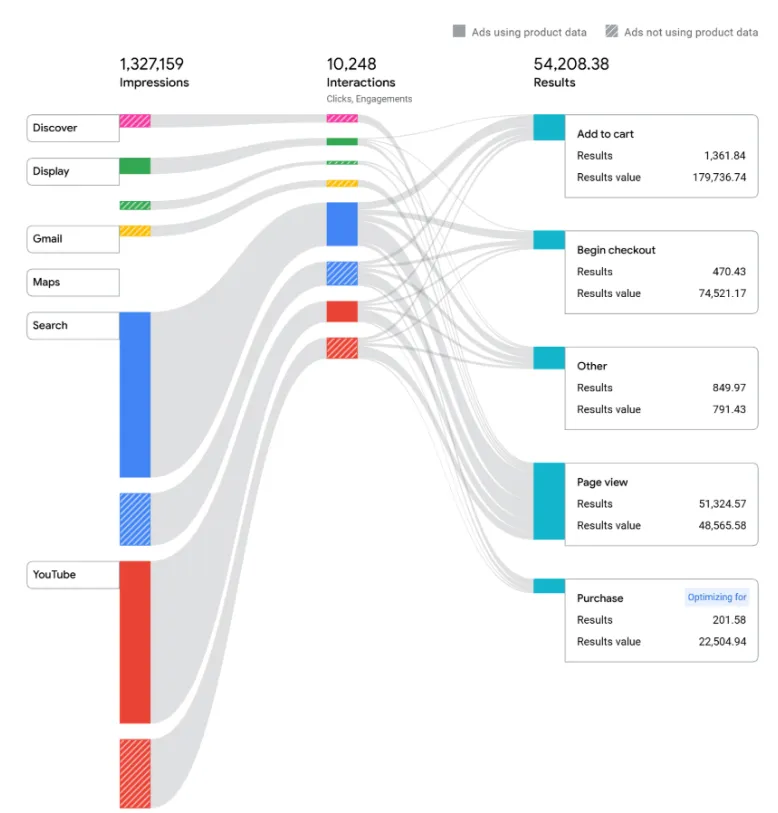
A significant update of the last months was the introduction of the channel performance, which lets you see how your campaigns’ placements are performing:
PPC marketers struggled at the very beginning of the introduction of this campaign type as it was quite hard to understand where the budget was mostly allocated by Google.
Managers found a way to see it, though, through the implementation of a script in the account.
With this new channel reporting, the account managers help you make more specific decisions about exclusions, creatives, or asset group optimizations.
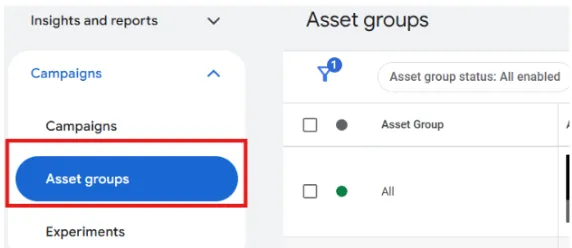
Asset Group reporting
I know what you are thinking: why didn’t Google just call ‘asset groups’ ads, like they do in other campaign types?
This may sound confusing, but yeah, we can consider an asset group like ads.
And even in this case, like the campaign level, you can check the performance metrics at asset group level:
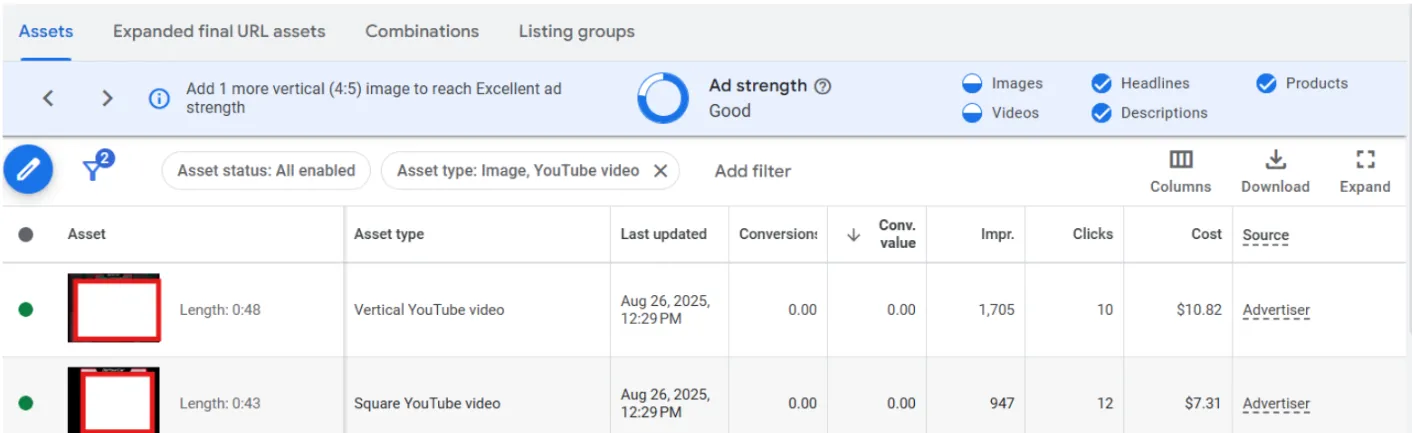
But can you have a more in-depth analysis? Let’s have a look at it!
You can check the ‘asset’ level metrics, that is how an image, a video, a headline, or a description is performing. This is important data that helps you optimize.
Here you can also see the top combinations, which are the top-performing asset combinations across Google channels. You can also see examples of how each asset combination might appear in ads.
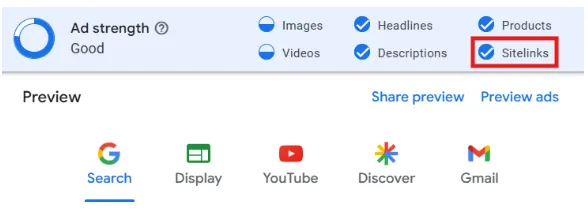
A recent update from Google added ‘Sitelinks’ as a value to determine the ad strength: this is a new way to evaluate asset group diversity not only by headlines, descriptions, products and creatives.
This means that the asset groups without sitelinks may now receive a lower ad strength rating (like ‘Good’ instead of ‘Excellent’).
Ad strength isn’t a direct ranking factor, but it is an important diagnostic indicator for campaign health and potential areas for improvement.
Conclusion
In summary, Performance Max campaigns in Google Ads represent a powerful tool for e-commerce businesses to reach a larger audience, automate optimizations, and drive better conversions.
With its ability to utilize Google’s entire ecosystem, automated bidding, and real-time insights, Performance Max can help you streamline your digital marketing efforts, allowing you to focus on growing your business while Google’s machine learning handles the rest.
And don’t forget, Midsummer Agency is here to help. Explore our PPC services or reach out for a custom audit, and we’ll dig deep, clean up the mess, and help your Google Ads account perform the way it should.
Let’s turn those clicks into conversions…together!