Seeing your organic traffic dip can feel like a punch to the gut, especially when everything seems fine on the surface. But before you panic and jump into random fixes, let’s unpack what’s really going on.
In this post, we’ll walk through the most common reasons behind website traffic loss, explain what causes organic traffic to decrease, and introduce a clear framework to diagnose organic traffic decrease – so you can plan your recovery with confidence.
1. Check for Tracking or Reporting Glitches First
When you notice a sudden drop in website traffic, the instinct is to assume the worst: maybe Google penalized you, or competitors are taking over your rankings. But before you dive into complex SEO audits, pause for a second. Many traffic loss cases turn out to be simple reporting or tracking errors.
Maybe your Google Analytics tracking tag was accidentally removed during a site update. Perhaps you’re comparing data from the wrong property in Search Console (mixing up the HTTP vs. HTTPS or www vs. non-www versions of your site). Even something as small as a misconfigured filter in GA4 can give the illusion of a dramatic drop.
Why it matters: If you mistake a data glitch for an SEO problem, you’ll waste valuable time chasing issues that don’t exist. And worse, you may end up making unnecessary changes that harm your actual performance.
Your move:
Verify that your GA4 tag is firing correctly across all pages.
Check that you’re analyzing the right property in Search Console.
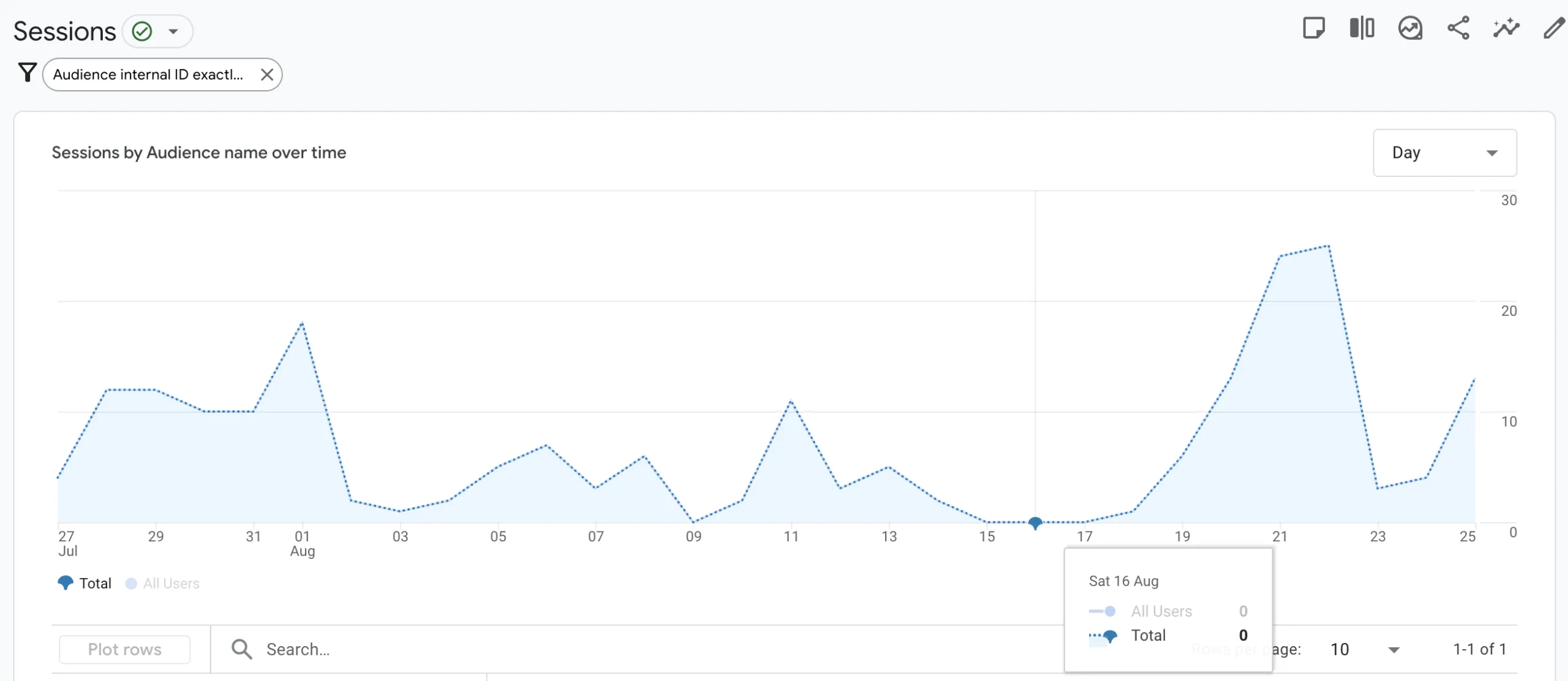
Look for sudden breaks in data collection – like traffic dropping to zero overnight – which often signals tracking errors, not ranking loss.
Keep an unfiltered “raw data” view in GA4 for comparison.
An example of a sudden drop in traffic, as shown in Google Analytics, that could be due to a tracking error.
2. Identify Algorithm Shifts, Competitive Moves, or SERP Changes
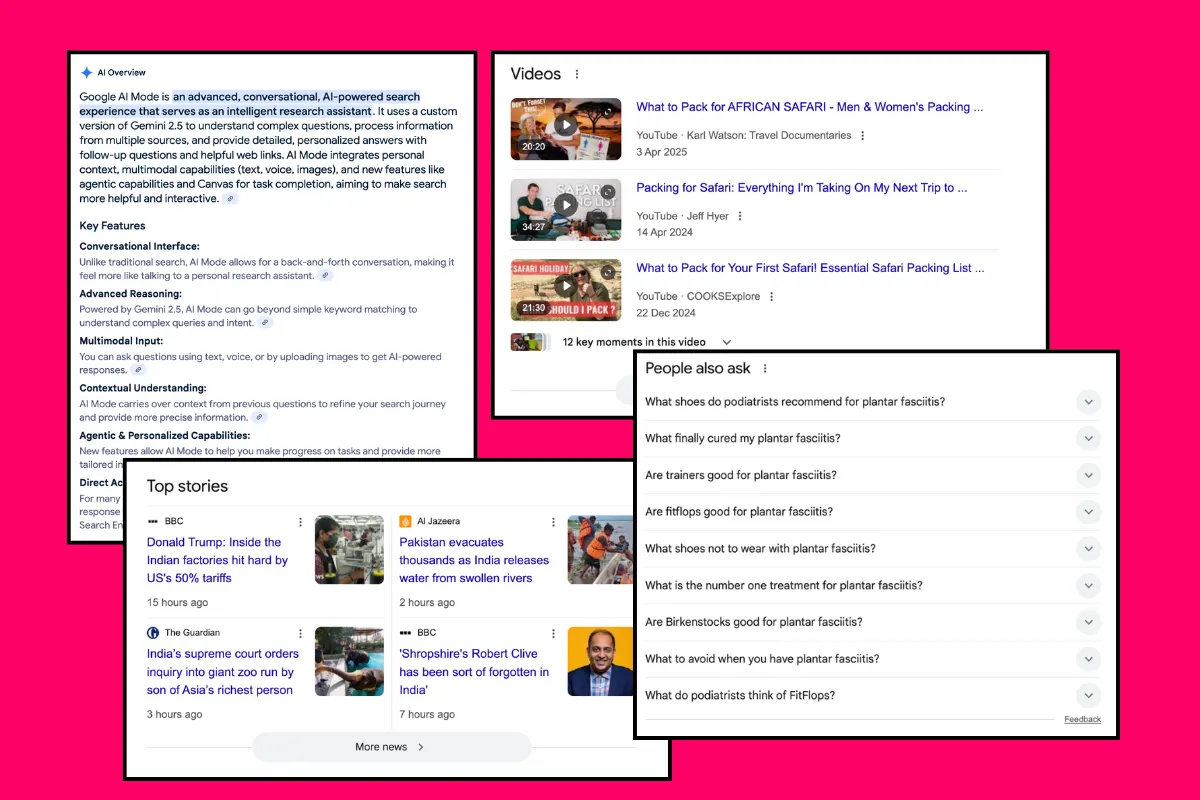
Google’s search results are not static, they’re constantly evolving. Algorithm updates, both broad core updates and smaller adjustments, can reshuffle rankings overnight. At the same time, new SERP features like AI Overviews, Featured Snippets, or Product Listings can push traditional organic results further down the page.
Your traffic loss might not mean your site became worse, it could simply mean Google started favoring a different type of result or user intent. Add competitors to the mix: if a rival launched an aggressive SEO campaign, improved their Core Web Vitals, or published stronger content targeting your keywords, they may have overtaken you in the rankings.
Some new features you can find in SERP: AI Overview summary, Videos, Top Stories and People Also Ask.
Why it matters: Losing visibility due to an algorithm or SERP shift requires a completely different response than fixing a technical bug. If you don’t recognize the real cause, you risk solving the wrong problem.
Manually check the SERPs for your priority keywords. Are new features or competitors now appearing above you?
Use rank tracking tools to understand whether your position dropped or if overall search demand shifted.
Analyze click-through rates (CTR) in Google Search Console. Even if rankings are stable, traffic may dip if new SERP features steal clicks.
3. Technical Issues & Crawling Problems
Sometimes, the culprit is buried in your site’s code or settings. A single misplaced “noindex” tag on a template can deindex thousands of pages. A robots.txt update might block Google from crawling your product catalog. Redirect chains or broken canonical tags can dilute authority and confuse search engines about which version of a page should rank.
Technical issues often appear after a redesign, migration, or CMS update. You might notice entire sections of your site vanishing from Google overnight, not because your content is bad, but because Google can’t access it anymore.
Why it matters: SEO is built on visibility, and visibility begins with crawling and indexing. If Google can’t find your pages, no amount of content quality or backlinks will help.
Your move:
Run a full crawl with tools like Screaming Frog, SemRush or other similar tools to detect blocked pages, redirect chains, or missing canonicals.
Use the Index Coverage report in Google Search Console to identify indexing errors.
After site updates, double-check robots.txt and meta directives.
Monitor server logs to confirm that Googlebot can access your content without errors.
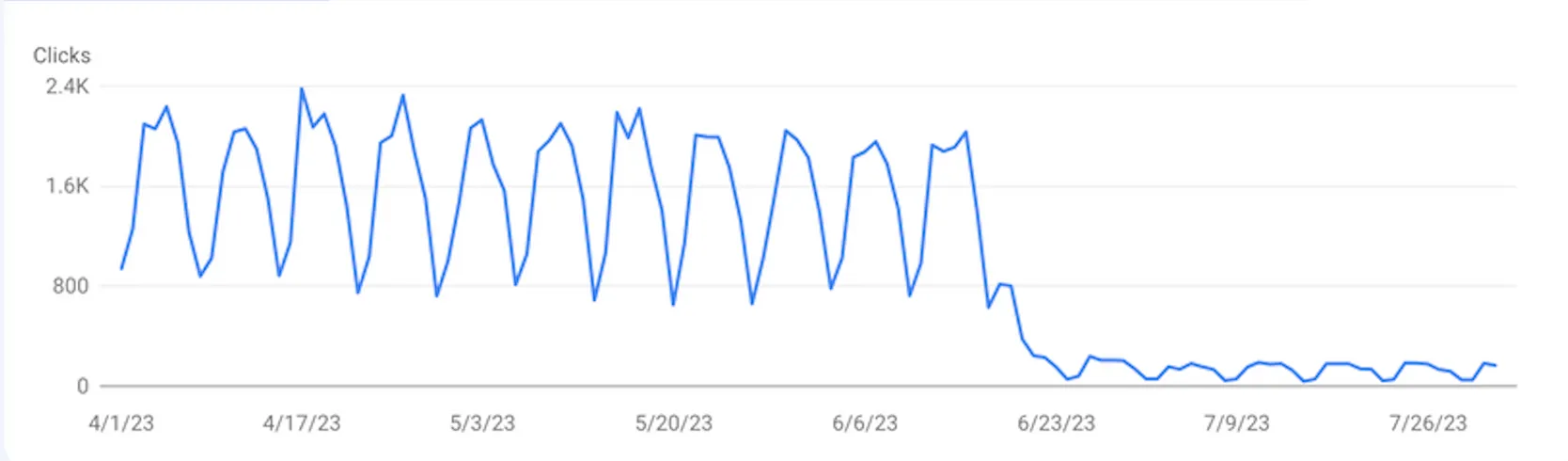
A sudden traffic drop as it appears on Google Search Console.
4. Seasonality, Content Relevance & User Behavior
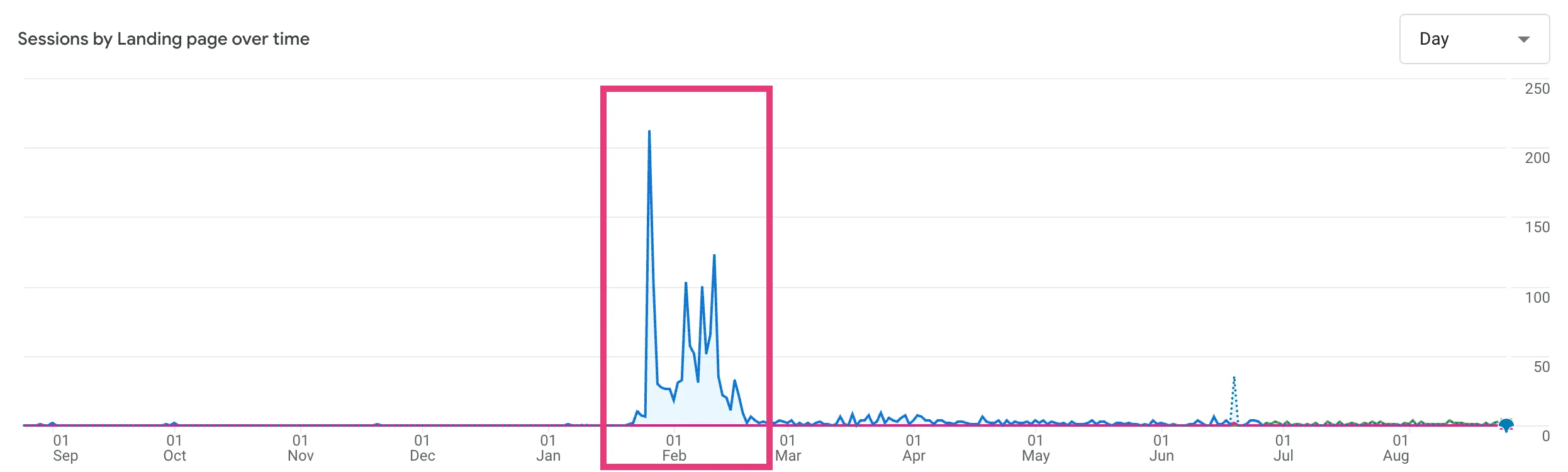
Not all traffic drops are bad news. Sometimes, they’re simply seasonal patterns. A store selling ski equipment will naturally see a spike in winter and a dip in summer. Similarly, search demand for “Valentine’s Day gifts” will inevitably vanish on February 15.
Beyond seasonality, traffic can decrease because user intent or content relevance shifts. A blog post that ranked well in 2021 may no longer satisfy what users expect in 2025. Search queries evolve, SERPs introduce new formats, and competitors publish fresher, more relevant content.
Why it matters: Misinterpreting a seasonal or intent-driven dip as a “crisis” can lead you to scrap perfectly fine strategies. On the flip side, ignoring long-term declines in relevance means your content slowly fades into obscurity.
Your move:
Compare year-over-year (YoY) data to distinguish seasonal patterns from genuine losses.
Use Google Trends to analyze whether search demand for your keywords has decreased.
Audit older content to see if it still satisfies user intent. Refresh or repurpose underperforming content.
For seasonal pages, keep them live year-round but update them regularly to retain authority.
5. Audit Content Quality and Internal Shifts
Traffic loss doesn’t always come from external forces, it often happens internally. Product pages are unpublished when items go out of stock. Blog content is left untouched for years, slowly becoming outdated. Internal site restructures break valuable internal links, causing key pages to lose visibility.
Content is not a “set it and forget it” asset. Even evergreen pieces need regular updates to maintain relevance and authority. Meanwhile, internal linking – one of the simplest yet most powerful SEO levers – is frequently neglected. When high-authority pages stop linking to important ones, traffic loss is inevitable.
Why it matters: SEO value compounds over time. Pages that once drove traffic and conversions can decay if ignored. Allowing valuable pages to disappear without redirects also wastes the link equity you’ve built.
Your move:
Identify which pages lost the most impressions or clicks in Google Search Console.
Update outdated statistics, references, or product details.
Strengthen internal linking by ensuring your most important pages are connected to high-authority content.
For discontinued products, use 301 redirects to the closest alternative, rather than deleting the page.
6. Run a Structured Traffic Drop Forensic
When traffic falls, the biggest mistake is guessing. You fix one issue here, tweak some content there, but without a structured diagnosis, you never address the root cause. A forensic-style approach ensures you isolate the real reason behind the drop instead of chasing symptoms.
This means segmenting the problem: is it affecting all devices or just mobile? All geographies or a single region? All pages or just certain templates? From there, you can build hypotheses. Did an algorithm update overlap with the drop? Did a site migration take place? Did competitors change their strategy?
Why it matters: Guesswork wastes resources and delays recovery. A structured analysis gives you clarity, helps prioritize fixes, and prevents the same mistakes from happening again.
Your move: Think of it as running a forensic investigation on your own website. Instead of trying random fixes, follow a clear framework that helps you eliminate false assumptions and zero in on the real issue.
Here’s a 6-Step Diagnostic Framework:
Define the scope: Pinpoint the exact timeline of the drop.
Segment the issue: Break data down by device, geography, and content type.
Pinpoint affected content: Identify which pages and queries lost the most.
Hypothesize causes: Link drops to events like updates, migrations, or seasonality.
Validate: Confirm with crawl tools, Google Search Console data, and competitive analysis.
Measure impact: Translate traffic loss into business metrics: conversions, revenue, leads.
Final Thoughts
Recovering from website traffic loss is not a guessing game, it’s about clarity and strategy. Begin by understanding whether it’s a tracking glitch, external shift, technical issue, content misalignment, or a combination of factors.
Use the diagnostic steps above to diagnose effectively, and then rebuild smarter.
If your eCommerce brand is face-to-face with declining organic performance, a fresh, data-driven perspective can make all the difference.